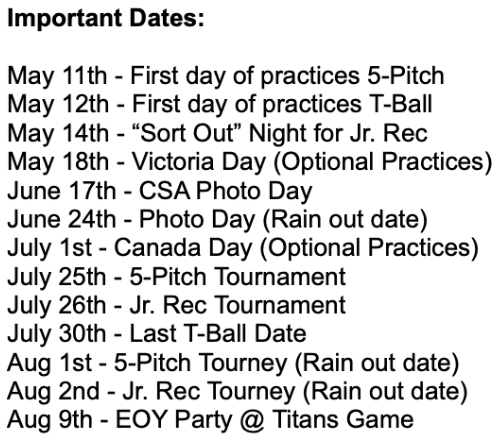

The 2026 schedule can be accessed most easily from the Team Snap Mobile App. If you have not already installed the app, please see below for instructions on how to access it.
1. Download the app
The TeamSnap app is available for download in both the Apple App Store and Google Play Store. It is recommended that you download the app so you can make updates wherever you are. Use this link to download to your device.
2. Accept your invite (if you’ve used it before, your account will auto-accept)
You should have received an email invite when your coach added you to the roster. Not seeing it?
For more information on how to set your notification preferences, sync calendars, and a range of other features, please visit the Team Snap website at the following link: Team Snap User Guide